An open hardware signer for Nostr
Keys on a chip.
Approval on a button.
Heartwood generates your Nostr identity from hardware entropy on an ESP32 dev board and never lets it leave. Every signature is produced on the device: a policy you installed decides what signs unattended, and a physical button decides everything else. The computer it plugs into only ever sees ciphertext.

Why the key belongs on a chip
A Nostr key has no password reset. Yet most of them live inside the most attacked software their owners run: a browser profile, a phone app, a server's home directory. One phishing page, one malicious update, one bad backup, and the identity is someone else's forever.
Heartwood moves the key to a device whose only job is to hold it. NIP‑44 decryption, policy evaluation and the BIP‑340 signature itself all happen on the chip; the seed never crosses the USB port, the relay connection, or any backup path. Whatever the request, the answer is the same: the device signs, or nobody does.
The hardware
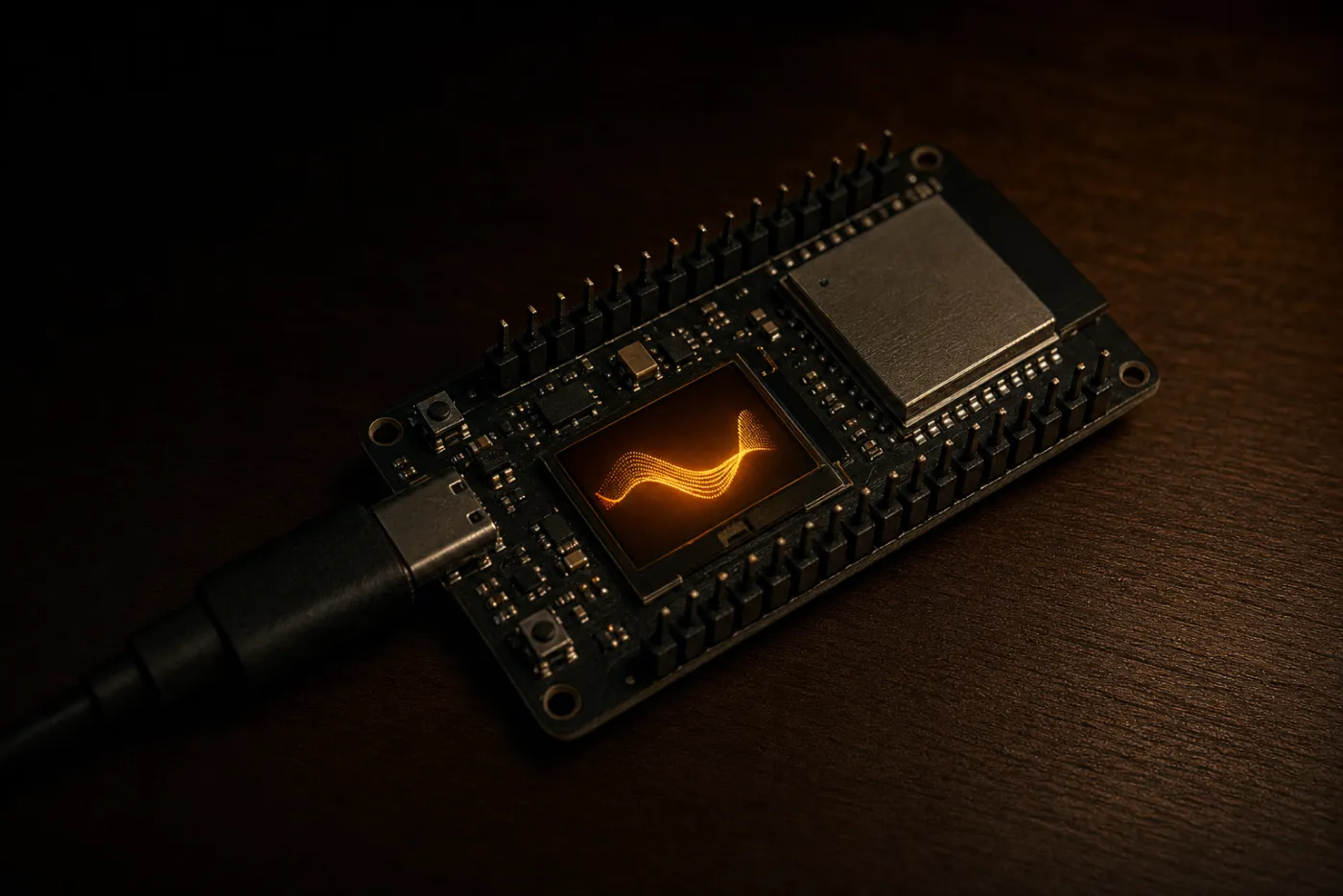
One Rust firmware and four boards, from a bare OLED module to a colour display with two buttons. The board is chosen at compile time and every signed update is tied to a board id, so the device refuses an update built for the wrong board.
- Heltec WiFi LoRa 32 V3
- ESP32‑S3 with a 128×64 OLED. The workhorse: cheap, everywhere, and everything Heartwood needs.
- Heltec WiFi LoRa 32 V4
- ESP32‑S3, native USB, same OLED. The default build target.
- LilyGO T‑Display
- Classic ESP32 with a colour TFT and a second button, which makes typing a recovery phrase far less of a chore. Sold as LilyGO, TTGO, or a TENSTAR clone — they all work.
- Waveshare ESP32‑C6
- RISC‑V core with a 1.47″ colour LCD, for the smallest desk footprint.
When a request needs you, the display shows which identity, what kind of event, and a preview of the content, with a countdown. Hold the button two seconds to approve; a short press denies; silence denies for you, and the screen says so rather than leaving a dead countdown. Two-button boards label which button approves and which cancels. When nothing needs you, short presses page through the network state, firmware version and uptime.
Security model
- Born on the device
- The seed is drawn from the chip's hardware entropy source, boot-tested and stacked with randomness you supply. It is shown once on the display at creation and never leaves by any code path: not USB, not relay, not backup. Up to eight master identities per device.
- Policies that fail closed
- Each client gets an exact allowlist of methods and event kinds. Inside the ceiling, signing is unattended; outside it, the request is denied, and no button press can escalate it after the fact.
- A bounded operator
- Management commands are accepted only from your operator key, and every mutation must answer a fresh one-time challenge. The operator can shape policies and connectivity; it cannot read or replace a seed, change the PIN, or start a firmware update.
- Updates you can trust
- Every release is signed in CI; the device verifies the signature twice and ties it to its own board id. Flashing happens over USB with a two-second button hold. Remote update is deliberately not implemented.
- Sealed at rest
- Two ways to seal the seeds. Set a PIN and each seed is stored encrypted, with no PIN hash kept on the device: every guess pays the full key-derivation cost, and five wrong attempts wipe the device clean. Or hand a 256‑bit vault key to the Pi (or to Sapwood on your phone) and the device unlocks itself on every reboot; no PIN to type from another country. Either way, the flash alone holds only ciphertext.
Honest limits: the default build leaves ESP32 flash encryption and secure boot off, because burning eFuses is irreversible and that stays your call. Leave the seeds unsealed and someone holding the board can read flash. Set the PIN or the vault key, and treat physical custody as part of the model: Heartwood is a signer you own, not a bank vault. One more, stated because few signers do: BIP‑340's nonce construction means even a broken RNG cannot weaken a signature, but a malicious signed firmware could in principle leak key bits through its nonce choices. NIP‑46 has no Anti‑Exfil-style answer yet; until it does, the defence is the signed release chain and the source you can read. The full write-up is in SECURITY‑MODEL.md.
Where the randomness comes from
Every signer's box says the same thing: keys generated from hardware entropy. It is the one claim an owner cannot check, because bytes from a broken RNG look exactly like bytes from a good one. Coldcard proved the point in July 2026. For five years their seed generation had quietly fallen back to a software PRNG. The strong-source code was correct; it simply was never called. The seeds that survived were the ones users had mixed with dice rolls.
The ESP32 sets precisely this trap. Its RNG register always answers, but it is only truly random while a hardware noise source feeds it, and the chip has two: RF noise from a running radio, and thermal noise sampled by the ADC. A radio-silent signer obviously cannot lean on the first, and code that never asks for the second gets what the SDK documents for that state: pseudo-random numbers, delivered without complaint. So the firmware asks, every time. Each draw of key material switches the thermal-noise source on, reads, and switches it off again. That is the same source the chip's own boot process trusts to seed itself, and it is live in every tier, radio or no radio. Then, at every boot, the chip must prove the source is alive: it draws, hashes, and compares against last boot's stored hash. A stuck or stubbed RNG repeats itself, fails the comparison, and the device refuses to create new keys. Existing keys keep signing; their entropy is already spent. And because Coldcard's code was correct too, the device also asks for randomness no firmware bug can fake. Yours.

- The stimulus is not the harvest
- The blocks are spawned by the chip's RNG, never by your presses, so your own output cannot steer your input. What is kept is the microsecond timestamp of every tap, read at the true electrical edge rather than a 10 ms tick.
- Counted like a pessimist
- Human timing under a reaction task is credited at one to two bits per press, far below the raw microsecond figure. Sixty‑four presses are banked as sixty‑four bits, not boasted as a thousand.
- Neither source can spoil the other
- The chip draw and your timings are hashed together, domain-separated and length-prefixed. If either one is unpredictable, the seed is. Someone filming your thumb learns nothing while the chip source is healthy, and a chip source gone quietly predictable cannot outguess your thumb.
So the failure ladder reads like this. A dead RNG is caught at boot and the device refuses to mint keys. A weak RNG that slips past the test still meets your sixty-four timings in the hash, and the seed stays unpredictable. What no amount of randomness can save is a seed sitting in readable flash: randomness at birth and encryption at rest are different jobs. One stops guessing, the other stops reading.
So if the board might ever leave your desk, seal it. With a PIN, every guess pays the full key-derivation price and the fifth wrong one wipes the device; with a vault key, the seeds sit in ciphertext until the host you chose hands the key back. An unsealed seed is an open book to anyone holding the hardware, however well it was born.
The game is optional: hold the button and provisioning falls back to the boot-tested chip source alone. The stacking construction is a few dozen lines in common/src/entropy.rs, pure and testable on any host, and the game is firmware/src/entropy_game.rs. Check our work.
No hardware yet? Run it soft.
heartwoodd is the same signer as a daemon for a Pi or any Linux box, and it has two modes. In soft mode it signs locally: keys live in a keyfile sealed under Argon2id and XChaCha20‑Poly1305, decrypted only into memory and zeroised on lock, behind the same policy engine and approval queue the hardware uses. You unlock it from Sapwood in your browser.
Plug an ESP32 in and it becomes hard mode: the daemon stops holding anything at all and turns into zero-trust plumbing between your relays and the chip. Start soft tonight and move to hardware whenever. It stays your own bunker, no third party, and your apps keep the same connection either way.
Just need the plumbing? A standalone keyless bridge, heartwood‑bridge, ships from its own repo with a one-line installer, Docker images, and prebuilt binaries for aarch64, x86_64, armv7 and riscv64.
A signature's journey
Get started
-
i
Pick a board, any of the four above, from the usual suspects for a few pounds. No soldering.
-
ii
Flash and provision from your browser with Sapwood (Web Serial, so a Chromium browser), or fully offline with the
provisionCLI for an air-gapped setup. -
iii
Pair your apps: Bark in the browser, Cambium on Android, or paste the
bunker://URI into any NIP‑46 client.
# or build it yourself and check our work
git clone https://github.com/forgesworn/heartwood-esp32.git
cd heartwood-esp32
./scripts/build-firmware.sh v4 --release   # v3 | v4 | tdisplay | c6
espflash flash target/heartwood-v4.elf
Prebuilt per-board images, with checksums and release signatures, are on GitHub Releases.
The whole tree
Heartwood
The core. Keys on a chip behind a physical button. You are here.
Sapwood
The management console. Flash, provision, set policies, approve, back up.
Cambium
The living layer on Android. A NIP‑55 signer that holds no keys.
Bark
The protective outer layer. NIP‑07 in your browser, keys nowhere near it.
Bray
The pack animal alongside the tree. Nostr for AI assistants and the terminal; happiest signing through a Heartwood.